What To Do If My Phone Is Hacked | Cyber Safety
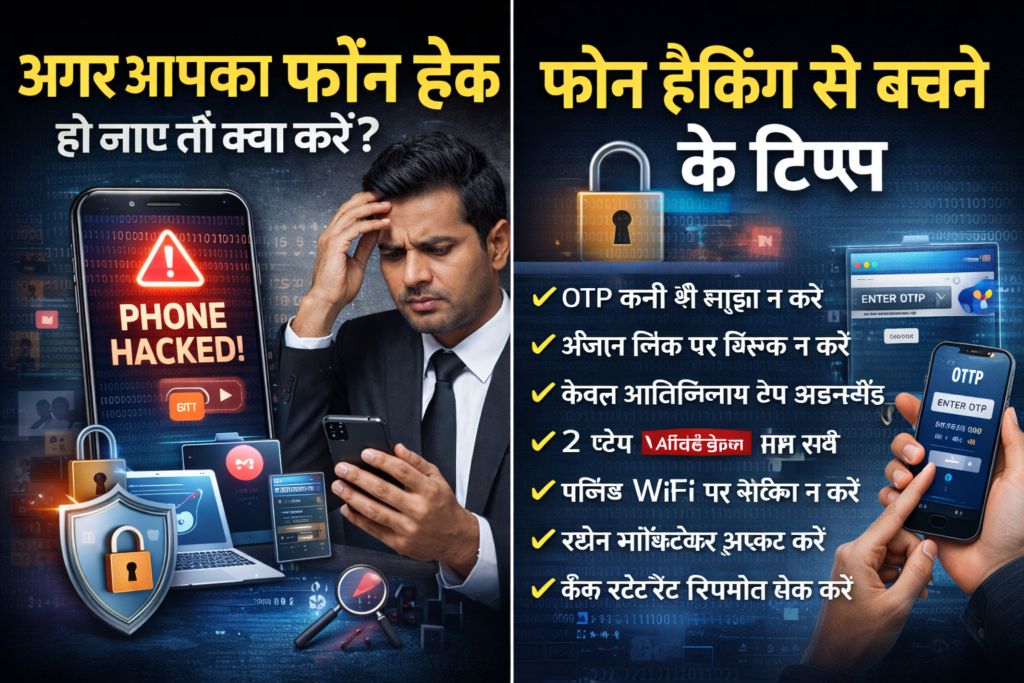
In today’s digital world, our smartphones store everything — bank details, personal photos, social media accounts, emails, and confidential data. If your phone is hacked, it can lead to financial fraud, identity theft, and serious privacy violations. If you are wondering, “What to do if my phone is hacked?”, this complete guide will help you take immediate and effective action. Signs Your Phone May Be Hacked Before taking action, identify possible warning signs: Unusual pop-ups or ads Unknown apps installed Rapid battery drain Phone overheating Strange SMS or WhatsApp messages sent from your number Bank transactions without your knowledge Social media logins from unknown locations Slow performance If you notice multiple signs, your phone may be compromised. Immediate Steps To Take If Your Phone Is Hacked 1. Disconnect From the Internet Immediately: Turn off Wi-Fi Turn off mobile data Enable airplane mode This helps stop hackers from remotely accessing your device. 2. Do Not Panic Stay calm. Acting quickly and logically is important. Avoid deleting everything immediately because evidence may be required later. 3. Check Installed Apps Go to settings → apps Look for unknown or suspicious applications Uninstall anything unfamiliar Malware apps often disguise themselves with generic names. 4. Update Your Phone Software Go to: Settings → System Update Install the latest security update. Updates fix vulnerabilities hackers exploit. 5. Change All Passwords Immediately From a safe device (not the hacked phone): Change email password Change banking password Change social media passwords Enable two-factor authentication (2FA) Use strong and unique passwords. 6. Check Bank Accounts If your phone is hacked: Review bank statements Monitor UPI transactions Block cards if necessary Inform your bank immediately If fraud occurs, report to bank and cybercrime authorities urgently. 7. Scan With Trusted Security App Install a trusted mobile security app and run a full scan to detect malware. Avoid downloading antivirus apps from unknown sources. 8. Factory Reset (If Necessary) If hacking continues: Back up important data Perform factory reset Settings → Reset → Factory Data Reset This removes most malware. However, restore only essential files. 9. Inform Your Contacts Hackers may misuse your WhatsApp, Telegram, or social media. Inform your contacts: Not to click suspicious links Not to send money This prevents further damage. 10. Report Cyber Crime In case of: Financial fraud Sextortion Identity theft Social media hacking Immediately file a complaint on the official cybercrime reporting platform or visit your nearest cyber police station. Quick reporting increases chances of recovery. Special Cases If WhatsApp Is Hacked Verify your number again Enable two-step verification Contact WhatsApp support If Banking App Is Compromised Block net banking Freeze UPI Inform bank branch If Phone Camera Is Hacked Cover camera temporarily Remove suspicious apps Reset device How Hackers Hack Phones Common methods include: Phishing links Fake APK files Public Wi-Fi hacking OTP fraud Screen sharing apps Malicious loan apps Fake customer care numbers Awareness is the best protection. How To Prevent Phone Hacking Never share OTP Avoid unknown links Do not install apps outside Play Store/App Store Enable 2FA everywhere Use biometric lock Avoid public Wi-Fi for banking Keep software updated Prevention is always better than recovery. When To Contact a Lawyer You may need legal assistance if: Your private photos are misused You are being blackmailed Money has been stolen Identity theft has occurred Police are not registering complaint A cyber crime lawyer can guide you through proper legal remedies. If your phone is hacked, act immediately. Disconnect the internet, secure your accounts, inform your bank, and report to authorities. Quick action can prevent major financial and reputational damage. Your smartphone contains your digital life — protect it carefully. आज के समय में मोबाइल फोन में हमारी बैंकिंग डिटेल्स, फोटो, सोशल मीडिया, ईमेल और पर्सनल डेटा सुरक्षित रहता है। अगर आपका फोन हैक हो जाए, तो यह आर्थिक नुकसान और प्राइवेसी के लिए गंभीर खतरा बन सकता है। अगर आपको शक है कि आपका फोन हैक हो गया है, तो नीचे दिए गए कदम तुरंत उठाएं। कैसे पहचानें कि फोन हैक हुआ है? अगर आपके फोन में ये लक्षण दिखें तो सावधान हो जाएं: बैटरी बहुत जल्दी खत्म होना फोन का अचानक स्लो हो जाना अनजान ऐप्स अपने-आप इंस्टॉल होना अजीब पॉप-अप या विज्ञापन आना आपके नंबर से अनजान मैसेज जाना बैंक से अनजान ट्रांजैक्शन का मैसेज सोशल मीडिया अकाउंट अपने-आप लॉगआउट होना एक से अधिक संकेत मिलें तो तुरंत कार्रवाई करें। फोन हैक होने पर तुरंत क्या करें? 1. इंटरनेट बंद करें WiFi बंद करें मोबाइल डेटा बंद करें एयरप्लेन मोड ऑन करें इससे हैकर का एक्सेस तुरंत रुक सकता है। 2. घबराएं नहीं शांत रहें। बिना सोचे-समझे फोन फॉर्मेट न करें। पहले जरूरी डेटा और सबूत सुरक्षित करें। 3. संदिग्ध ऐप्स हटाएं सेटिंग्स में जाकर Apps देखें अनजान या संदिग्ध ऐप्स अनइंस्टॉल करें Screen sharing या remote access ऐप्स हटाएं 4. सभी पासवर्ड बदलें किसी दूसरे सुरक्षित डिवाइस से: Gmail का पासवर्ड बदलें बैंकिंग और UPI पासवर्ड बदलें सोशल मीडिया पासवर्ड बदलें Two-Factor Authentication (2FA) ऑन करें 5. बैंक को तुरंत सूचित करें अगर बैंकिंग डिटेल्स खतरे में हैं: नेट बैंकिंग ब्लॉक कराएं डेबिट/क्रेडिट कार्ड ब्लॉक कराएं UPI अस्थायी रूप से बंद कराएं बैंक स्टेटमेंट चेक करें 6. एंटी-वायरस से स्कैन करें Play Store या App Store से trusted security app डाउनलोड करें और पूरा स्कैन करें। 7. जरूरत पड़े तो फैक्ट्री रीसेट करें अगर समस्या जारी है: जरूरी डेटा का बैकअप लें Factory Reset करें लेकिन बैकअप लेते समय संक्रमित फाइल्स को दोबारा इंस्टॉल न करें। 8. अपने संपर्कों को सूचित करें अगर आपके अकाउंट से किसी को संदिग्ध लिंक या पैसे की मांग का मैसेज गया है, तो अपने संपर्कों को सावधान करें। 9. साइबर क्राइम की शिकायत करें अगर: पैसे की धोखाधड़ी हुई है निजी फोटो/वीडियो का दुरुपयोग हुआ है ब्लैकमेल किया जा रहा है तो तुरंत साइबर क्राइम पोर्टल या नजदीकी साइबर पुलिस स्टेशन में शिकायत करें। फोन हैक कैसे होता है? फिशिंग लिंक पर क्लिक करना फर्जी APK फाइल डाउनलोड करना पब्लिक WiFi पर बैंकिंग करना OTP साझा करना फर्जी कस्टमर केयर कॉल स्क्रीन शेयरिंग
What To Do If My Phone Is Hacked | Cyber Safety Read More »